
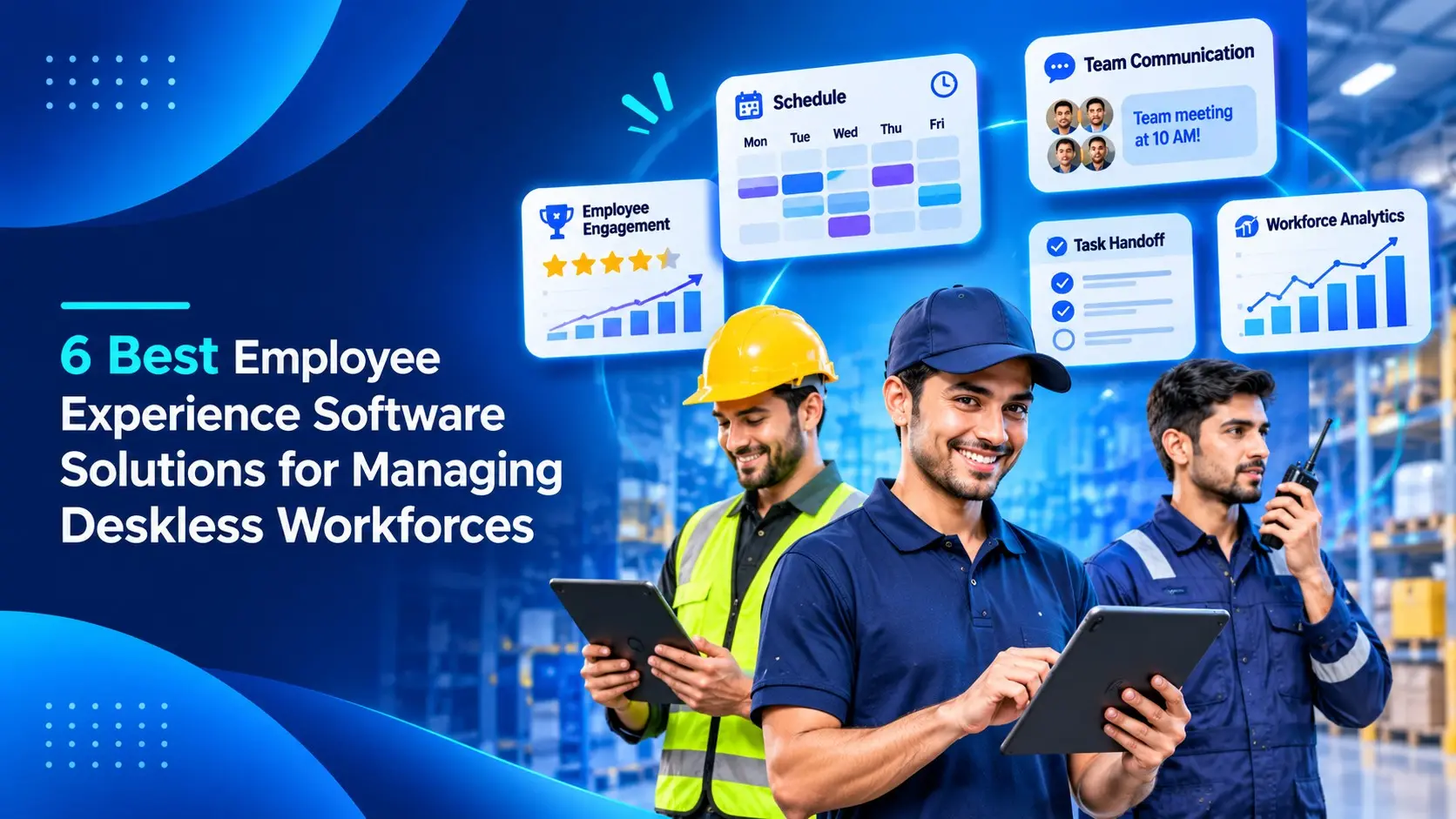
Employee experience software is the app a company uses to reach, train and support its staff, and for deskless teams it often has to work for people who do not have a company email address or a desk. That matters more than it sounds. According to Gallup’s latest global workplace report, global employee engagement fell to 20% in 2025, its lowest level since 2020, and people who never sit at a computer are usually the last to hear about a policy change, a new course or a shift update.
We compared six platforms that are built for (or at least work well for) drivers, nurses, warehouse staff, machine operators and retail teams. iTacit comes first because it combines communication, training records and digital forms in one app. The other five are strong in different ways, and each entry below covers what the product is, what it costs, how reviewers rate it and where it falls short.
What Is Employee Experience Software For Deskless Workers?
A deskless worker is anyone whose job happens away from a desk: on a shop floor, in a truck, at a patient’s bedside or behind a counter. Employee experience software for this group is a mobile app (and usually a browser version) that puts company news, chat, documents, training and HR tasks in one place, so a worker can open it on a phone during a break.
The main difference from office tools is the login. Most deskless staff are not given a company email account, so a good employee experience platform lets people sign in with a username, a code or a QR code instead. Many also support shared phones or tablets, where several workers use the same device with their own login.
Turnover is the other reason these tools matter. Figures from the federal tenure survey show that workers in leisure and hospitality had the lowest median tenure (2.4 years) of any major industry in January 2026. When staff turn over that quickly, onboarding and training have to happen again and again, which is why built-in training and record keeping now sit next to news and chat on most buyers’ lists of deskless workforce software requirements.
Employee Experience Software Compared At A Glance
| Platform | Best for | Sign in without company email | Built-in training courses | Starting price | Rating |
|---|---|---|---|---|---|
| iTacit | Regulated frontline teams that need training records | Yes (organization key and personal login) | Yes (full LMS) | Quote-based | 4.6 on Capterra |
| Flip | Mid-sized frontline employers that want HR self-service | Yes (QR code, invite code or passkey) | No (through integrations) | From €4,950 per year | 4.7 on G2 |
| Connecteam | Small and mid-sized shift teams | Yes (phone number and text code) | Yes | Free for up to 10 users; paid from $29 per month | 4.6 on Capterra |
| Blink | Teams that want one app on top of existing systems | Not stated | No | From $3.75 per user per month | 4.6 on G2 |
| Staffbase | Large enterprises with desk and frontline staff | Not stated | Through Cornerstone | Quote-based | 4.6 on G2 |
| Workvivo | Companies focused on culture and recognition | Not stated | No | Quote-based | 4.8 on G2 |
How We Compared These Employee Experience Platforms
We started with the pages that rank for this search and listed every vendor they mention, then kept only the products that are actually used by frontline and deskless teams. For each one we checked the vendor’s own product and pricing pages in November 2026 and took the current rating from G2 or Capterra.
Each platform was judged on five things: whether workers can sign in without a company email, whether training is built in, how much the vendor publishes about price, what reviewers say, and what the product is missing. We also gave weight to record keeping, because in regulated industries the question after an incident is usually “can you show who was trained, and when?”
The 6 Best Employee Experience Software Solutions For Deskless Teams
iTacit
Best for: organizations in logistics, construction, manufacturing and healthcare that want employee experience software for deskless workers who have no company email, with training records and digital forms in the same app.
iTacit is frontline employee experience software that connects deskless workers to messages, training, tasks, forms and documents from one mobile app. Workers sign in with an organization key and a personal login (no company email needed), using the My iTacit app on iOS or Android or a browser.
A manager can send a role-based message to every driver in one region, assign a safety course, and see who has finished it. Certifications are tracked with expiry dates. That covers the three questions buyers in construction and manufacturing tend to ask about certifications: does this one need updating, is it expiring, and who else holds it? Most of the other employee experience platforms below need a second system to answer those three questions.
Key features:
- A full LMS (learning management system, the software that delivers courses and records completions) with course authoring, learning paths and support for SCORM, a common file standard for e-learning courses
- Compliance tracking and certification programs, with reporting exported to Excel or business intelligence tools
- Digital forms with electronic signatures and photo upload, plus an audit trail (a log of who did what and when) on the Operate package
- An AI Assistant that answers staff questions only from the company’s approved internal documents, never the open internet, and 180+ integrations including ADP, UKG and Workday
Rating: 4.6 on Capterra (42 reviews).
Pricing: quote-based. iTacit does not publish prices; plans are sold as four packages that build on each other (Connect, Educate, Engage and Operate).
Where it falls short: iTacit is cloud-based and needs an internet connection, so there is no offline mode for crews who spend long stretches with no signal.
Flip
Best for: frontline employers with up to a few hundred staff that want a branded employee app with payslips, shifts and time-off requests.
Flip is a mobile employee experience platform for workers with no email, desk or laptop. It puts company news, chat, HR self-service and simple workflows into one app.
Workers activate their account with a QR code, an invite code or a passkey, so no company email or company phone is needed. From there they can read news from head office, check tomorrow’s shift, request time off and open their payslip. Built-in translation lets people post and reply in different languages, which helps on sites where several languages are spoken.
Key features:
- Login without email through QR codes, invite codes or passkeys
- News channels, chat and shift schedules in one app
- HR self-service for payslips, time-off requests and onboarding
- “Ask AI” answers questions from company knowledge inside chat
Rating: 4.7 on G2 (17 reviews, a small sample).
Pricing: the Growth plan (up to 300 employees) starts at €4,950 per year; the Enterprise plan for 300+ employees is a custom quote.
Where it falls short: Flip does not include its own course builder, so formal training and certification tracking come from a separate e-learning tool connected through an integration.
Connecteam
Best for: small and mid-sized shift businesses (cleaning, home care, field service, hospitality) that want scheduling, time tracking and training in one app at a published price.
Connecteam is an all-in-one app for deskless teams that covers operations, communication and HR. The company says it is used by more than 80,000 businesses.
A typical day looks like this: a worker clocks in with a tap (the app checks their location), sees their shift, reads a team update and confirms they have read it. Managers build schedules with an AI scheduling tool and send timesheets to payroll. On the training side, managers can build courses from templates or upload existing material, add quizzes, and export training records for audits, which makes it one of the more complete pieces of deskless workforce software at this price.
Key features:
- Shift scheduling and a GPS time clock linked to payroll
- Team chat and announcements with read confirmations
- Training courses with quizzes, SCORM uploads and an AI course creator
- Digital forms with photos and signatures
Rating: 4.6 on Capterra (5,318 reviews).
Pricing: a free Small Business plan covers up to 10 users; paid hubs start at $29 per month (billed yearly) for the first 30 users, plus a fee for each extra user.
Where it falls short: Operations, Communications and HR & Skills are sold as separate hubs, so a company that wants scheduling, chat and training at the same time pays for more than one hub.
Blink
Best for: companies that already run Workday, ServiceNow or Microsoft 365 and want one mobile front door for frontline staff.
Blink describes itself as a mobile-first employee experience platform for the share of a workforce that does not sit at a desk. It sits on top of the systems a company already has rather than replacing them.
Workers open a social feed for updates and recognition, use chat with voice and video calling, and search a library called the Hub for policies and procedures. Shift briefs and shift management sit in the same app, and Blink lists an offline mode among its features. One sign-on gives access to tools, tasks, shifts and documents, which keeps the frontline employee experience simple for people who will not remember five passwords.
Key features:
- Feed, chat, and voice and video calls
- The Hub, a searchable library of guidance and policies
- Shift management and story-style shift briefs
- Single sign-on and integrations with Workday, ServiceNow, Microsoft 365 and ADP
Rating: 4.6 on G2 (404 reviews).
Pricing: the Core plan starts at $3.75 per user per month and Pro at $5.00 per user per month (both billed annually); Enterprise pricing is a custom quote.
Where it falls short: Blink does not present a built-in course or training module, so teams that need to assign courses and keep completion records will need a separate LMS next to this employee experience platform.
Staffbase
Best for: large enterprises that need to reach desk staff and frontline staff through an intranet, an employee app and email at the same time.
Staffbase is an employee communication platform with three parts: an intranet for desk-based staff, an employee app for frontline workers, and an email tool for internal newsletters. The company says it has over 1,500 enterprise customers.
The employee app is aimed at shift workers, drivers and retail staff who never touch a laptop. Staffbase says the app is mobile-first and offline-ready. Communications teams can target content by role, and the email tool reaches the employees that apps and intranets miss. For an internal communications department running a large frontline employee experience program across several countries, this three-channel setup is the main draw.
Key features:
- A branded employee app for frontline staff, the core of its deskless employee experience offer
- An intranet for office staff on the same platform
- Targeted internal email newsletters
- Integrations with Microsoft 365, ServiceNow and Workday, plus Cornerstone for assigned learning
Rating: 4.6 on G2 (249 reviews).
Pricing: quote-based, with separate frontline pricing for workers without a desk; Staffbase says most customers get a proposal within 3 to 5 business days.
Where it falls short: learning is delivered through the Cornerstone integration rather than a native training module, and the setup and pricing are scoped for large organizations, which can be more than a 200-person company needs.
Workvivo
Best for: companies that care most about culture, recognition and leadership updates, and want a social-media-style app for every employee.
Workvivo is a social intranet and employee app owned by Zoom. It gives every worker a company feed, team Spaces, a people directory and recognition tools.
Leaders can post podcasts and livestreams, and push alerts show who has not yet received an urgent message (useful for weather warnings or site closures). Public shout-outs and awards let managers recognize good work. The interface and content can be translated across 90 languages, which helps multinational frontline teams, and an add-on called Workvivo TV puts the same content on screens in break rooms. Of the six, it is the most culture-focused employee experience platform.
Key features:
- Company feed, team Spaces and a people directory
- Push alerts with delivery tracking
- Recognition shout-outs and awards
- Translation across 90 languages, plus podcasts and livestreams
Rating: 4.8 on G2 (2,716 reviews).
Pricing: quote-based, depending on the number of licences; there is no free trial, but a demo is offered.
Where it falls short: Workvivo does not include a training or course module, so certifications and compliance training have to be handled in another system.
How To Choose Employee Experience Software For A Deskless Workforce
Start with the login. Ask each vendor to show you, in the demo, a worker with no company email signing in on a shared tablet. If that takes more than a minute or needs IT help, adoption will stall on day one.
Then decide whether training belongs in the same app. Many communication apps for frontline staff stop at news and chat, and the training records end up in a separate system that nobody on the floor opens. If you work in a regulated industry (transport, construction, manufacturing, healthcare), ask to see an exportable training log: one record per worker with the course name, completion date, score, and certification expiry. That is the document an auditor or inspector will ask for.
Other questions worth asking:
- Does the app work with no signal? Some platforms on this list do, iTacit does not, and it matters for remote crews.
- Is pricing per user, per hub or per package? Work out the cost for your real headcount, not the starter tier.
- Which HR and payroll systems does it connect to, and who builds the connection?
- How fast can it launch? Ask for a written launch date and a list of what the vendor needs from your IT team to hit it.
Bottom Line
If your main goal is culture and recognition, Workvivo is the strongest choice, and Staffbase suits very large companies that need an intranet, an app and email together. Small shift-based businesses will get the most for the money from Connecteam, while Flip and Blink are good fits for teams that mainly need a clean app for news, shifts and HR tasks.
The decision gets harder when you need training records as well as communication, because most of these apps leave training to another system. For logistics, construction and manufacturing employers that want employee experience software for deskless workers with no-email login, a built-in LMS with certification tracking and digital forms with an audit trail in one app, iTacit offers four quote-based packages (Connect, Educate, Engage and Operate) that can be combined as the program grows.
Frequently Asked Questions
What is the difference between employee experience software and an intranet?
An intranet is mainly a place to publish company news and documents. Employee experience software usually includes an intranet but adds chat, training, surveys, forms and HR tasks, and it is designed to be used on a phone rather than a desktop.
Can deskless workers use these apps without a company email?
Some can. iTacit (organization key and personal login), Flip (QR code or invite code) and Connecteam (phone number and a text message code) all let workers sign in without a company email address. For the others, ask the vendor how frontline staff log in before you sign anything.
Do employee experience platforms track compliance training?
Only some do. iTacit and Connecteam include training courses and exportable records, Staffbase connects to Cornerstone for learning, and Flip, Blink and Workvivo rely on a separate training system. Keeping workers informed is only part of the job. In regulated industries you also need proof that each person was trained, so check how the deskless workforce software exports those records.
How much does employee experience software cost?
Published prices on this list run from $3.75 per user per month (Blink Core) to €4,950 per year (Flip Growth), and Connecteam has a free plan for up to 10 users. iTacit, Staffbase and Workvivo are quote-based.

Comments are closed