

The highly competitive business environment makes it challenging to hold clients’ attention. The quality and speed of communication often determine the next key factor. Whether a consumer will stick with your brand or seek an alternative. Automating client interactions on mobile devices has become a critical component.
Especially for businesses seeking to enhance their processes and user experience. This is especially true with Android. This popular mobile operating system provides many opportunities for enterprises of all kinds. Using Android messaging automation tools helps companies:
Effectively manage communication;
Launch automated response scenarios.
It also allows them to send personalized messages and reduce time spent on customer service.
Image Source: Unsplash
Automating Communication on Android. Why It’s So Important
Modern customers expect instant responses to their requests. Even a response delayed by a few minutes can reduce trust in a brand. This is where certain mobile customer engagement tools come in handy.
Thus, allowing businesses to be close to their customers 24/7. Thanks to automation tools, companies can create multi-level communication scenarios with AI agents. To wit,
- Send order reminders.
- Answer standard questions;
- Inform about promotions;
- Even collect feedback.
At the same time, you may reduce personnel costs. But the quality of service improves. Moreover, automation allows you to build long-term relationships with customers through personalization. Audience segmentation and automation workflow allow for more flexible and targeted campaigns.
Businesses that manage both customer communication and internal mobile workflows often benefit from consolidating their software ecosystem. For teams using multiple Android devices alongside Apple hardware, a mac apps subscription can simplify access to communication, productivity, and collaboration tools, making it easier to support automated customer engagement across different platforms. If you plan to build your own app for both platforms, compare the top cross-platform mobile frameworks first.
SMS communication and an innovative approach
SMS is one of the most successful ways to communicate with clients. Especially with order confirmations, discounts, and reminders. Using bulk messaging apps, businesses may contact thousands of people at once. But at the same time, they save time and resources.
Meanwhile, traditional SMS texting is evolving into complex settings. Companies can use intelligent platforms to create personalized SMS workflows. The ones that consider the customer’s previous purchases, behavior, and location. This dramatically boosts conversion rates and promotes trust.
If you want to know a more in-depth approach, take a look at modern AI business texting solutions. They combine automation with AI elements. This allows you to create not only standard responses but also dynamic messages. The last ones get customized for a specific user. You will learn about the intelligent SMS chatbot integration for businesses. Those ones that look to maximize communication efficiency.
Android and the Best Tools for Automation
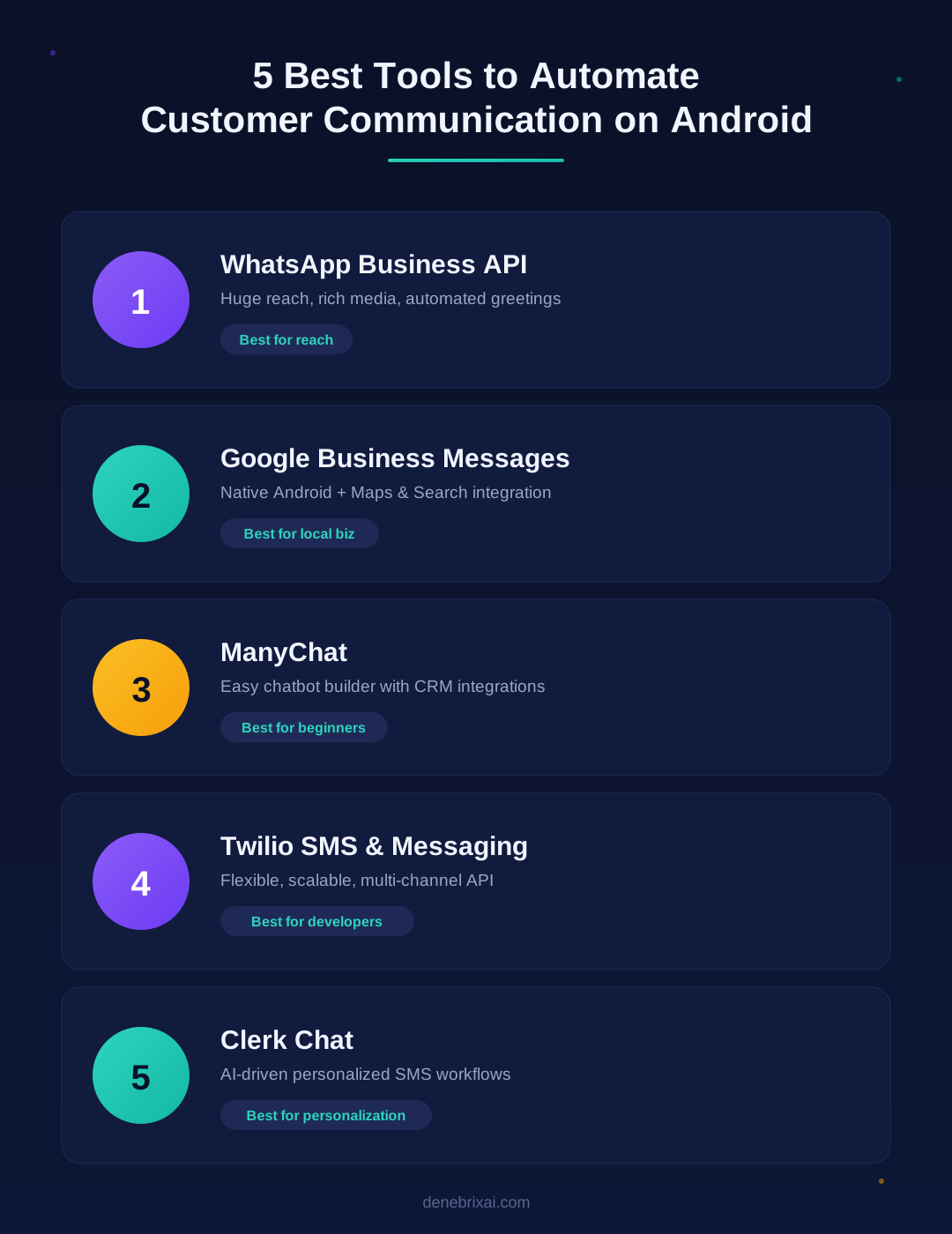
- WhatsApp Business API
- Google Business Messages
- ManyChat
- Twilio SMS & Messaging
- Clerk Chat
WhatsApp Business API
WhatsApp remains one of the most popular messengers. Thus, communication automation is critical here. With WhatsApp Business API, you can set up:
- automated greetings,
- quick replies,
- automation workflows for more complex scenarios.
Pros
Huge audience. Multimedia content (videos, photos, documents).
Cons
The cost is a bit high. Requires extra integrations.
Google Business Messages
This is the official solution from Google. It allows you to integrate chat functionality directly into search and Google Maps. Customers can quickly write to a business, and automated responses ensure promptness.
Pros
Native integration with Android. Ability to use templates. Support for in-app messaging automation.
Cons
Not suitable for all businesses. For local companies in most.
ManyChat. For Messenger and WhatsApp
This is one of the most popular chatbot builders. It allows you to automate communication on many platforms in parallel.
Pros
Easy to use. Integration with CRM. Ready-made templates.
Cons
The free version has significant limitations.
Twilio SMS & Messaging
This global business communications platform offers powerful Android messaging automation tools. Thanks to the API, companies can create any interaction scenarios. That is, from SMS mailings to multi-channel communication.
Advantages
Flexibility and scalability. Multi-channel.
Disadvantages
Requires technical training and integration with other systems.
Clerk Chat
It offers specialized tools for businesses with a focus on SMS automation. The service focuses on personalization and AI algorithms. This makes it unique among its competitors.
Advantages
Personalized SMS workflows. Easy integration. AI optimization.
Key Features to Look For
- Bulk messaging apps
- In-app messaging automation
- Automation workflow
Bulk messaging apps
If your company works with large customer bases, the ability to quickly launch mass mailings will be important to you. The best tools offer more filters and segmentation. This helps avoid spam and sends relevant messages.
In-app messaging automation
Many modern Android apps support the integration of push notifications and built-in chats. This allows users to receive relevant information directly in the mobile app.
Automation workflow
The scripting tool lets you create communication logic. For example, if a customer does not respond to a message within 24 hours, the system will send a reminder.
The Best Tool for Your Business. How to Choose
When choosing, keep the following core factors in mind.
- Business type
A local store can get by with Google Business Messages. An international e-commerce business will need Twilio or WhatsApp Business API.
- Budget
The cost of automation varies from free basic solutions to expensive API integrations.
- Customer base
Small companies can use simple bulk messaging apps. Large corporations need comprehensive AI solutions.
- Scalability
It is important that the solution you choose can grow with your business.
Steps for Implementing Automation on Android
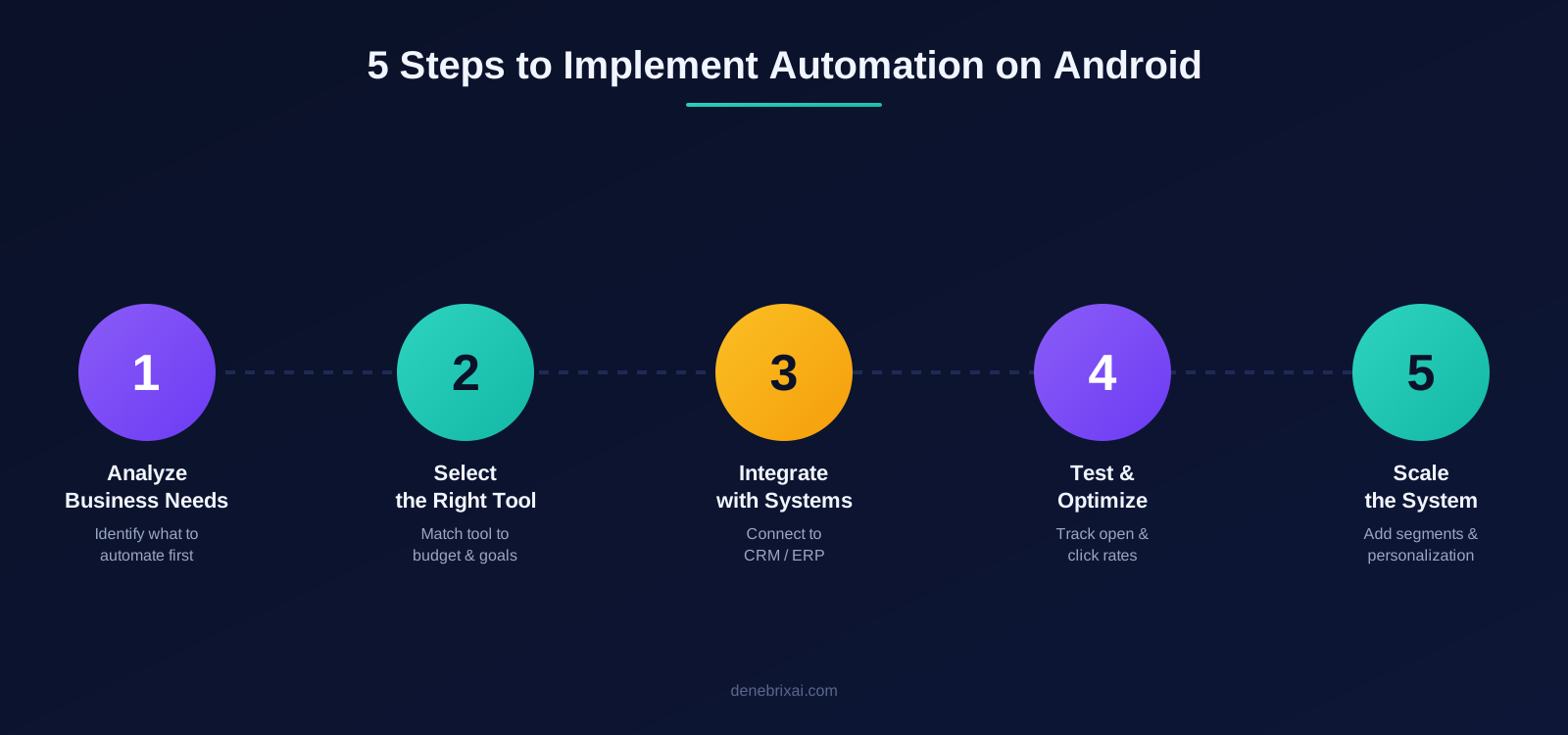
To ensure that communication automation brings real results, proceed step by step. Consider the following core steps.
Analyze your business needs
Determine exactly which tasks you want to automate.
- Promotional mailings?
- Customer support via chat?
- Order reminders?
Select a tool
Select a solution that meets your objectives and budget. Bulk messaging tools are ideal for mass messaging. API platforms are suitable for complex tasks. AI solutions are suitable for deep personalization.
Integration with existing systems
Integrate the new tool with your CRM or ERP. This will help you to set up an automation pipeline while avoiding data duplication.
Testing and optimization
Launch a pilot project. Track message open rates, click-through rates, and customer satisfaction levels.
Scaling
Once the system proves effective, expand your scenarios. In particular, add segmentation, in-app messaging automation, and personalized messages.
Conclusion
Customer communications automation on Android is no longer an optional feature. Today, it is a strategic imperative for businesses of all sizes. Using Android message automation solutions, businesses:
Save time and costs;
Develop more tailored customer interactions.
Your goals, budget, and business type will determine the best solution for your needs. If you want to send out mass mailings, use bulk messaging tools. If you need integration with sophisticated procedures, consider Twilio or WhatsApp Business API. And, if personalization and intelligence are important, consider AI solutions like Clerk Chat. Automation will shape the future of communication. Businesses that invest in mobile customer engagement technologies and automated workflows can:
Ensure revenue growth today,
Ensure client loyalty tomorrow.
FAQs:
What is customer communication automation on Android?
It’s the process of using software to automatically send SMS, WhatsApp messages, or chat replies to customers without manual effort through tools like WhatsApp Business API or Google Business Messages.
Which is the best tool to automate WhatsApp on Android?
WhatsApp Business API is the most popular choice for large-scale automated greetings, quick replies, and multimedia messaging. For smaller businesses, ManyChat is an easier alternative.
Does Android have a built-in auto-reply feature for SMS?
No, Android doesn’t have a native auto-reply feature. Businesses need third-party tools like Twilio, Clerk Chat, or ManyChat to set up automated SMS and chat responses.
How much does it cost to automate customer communication on Android?
Cost depends on the tool and scale ManyChat offers a free version for basic use, while API-based platforms like WhatsApp Business API and Twilio cost more due to integration requirements.
Which tool is better: WhatsApp Business API or Twilio?
WhatsApp Business API is stronger for reach and multimedia, while Twilio offers flexibility and multi-channel scalability. The right choice depends on business type and technical resources.
Can small businesses automate customer communication without coding?
Yes, no-code/low-code tools like ManyChat and Google Business Messages let small businesses set up automated responses easily, without hiring a developer.
How do I choose the right automation tool for my Android business?
Evaluate your business type, budget, customer base size, and scalability needs. Local businesses can start with Google Business Messages, while international e-commerce brands typically choose Twilio or WhatsApp Business API.
Is AI-based customer communication automation worth it?
Yes, AI-powered tools like Clerk Chat improve personalization and response accuracy, which boosts both customer satisfaction and conversion rates, especially for high-volume businesses.

Comments are closed