
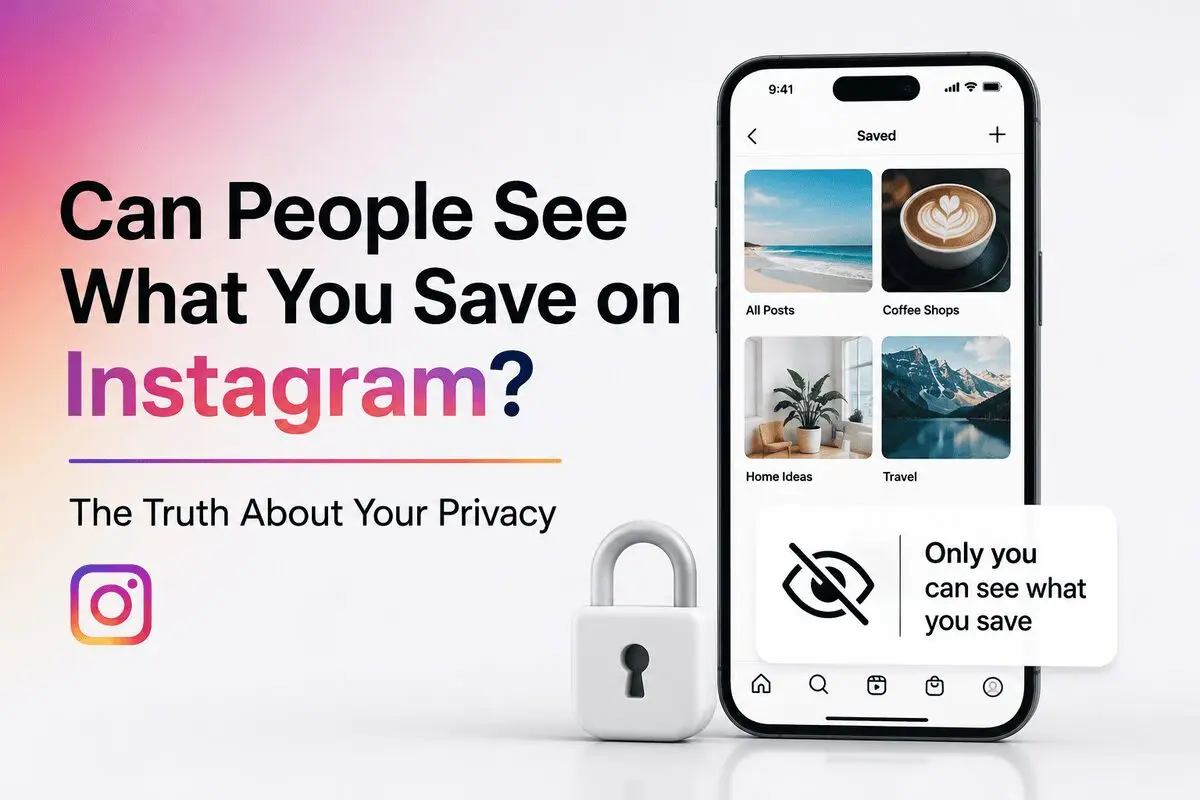
Can people see what you save on Instagram? No. Instagram saved posts, reels, videos, and collections are completely private. Other users, followers, and content creators cannot see what you save. Instagram also does not send notifications when you save someone’s content.
Not the person who posted it. Not your followers. Not even Instagram itself makes this visible to others. But how does Instagram’s save feature actually work? And what privacy controls do you have? For threats that go beyond normal app visibility, like software that secretly tracks you, learn what spyware is and how to protect yourself.
It’s a question that crosses your mind every time you hit that bookmark icon.
In this article, I’ll walk you through everything about Instagram saved privacy and saved content. We’ll cover what happens when you save posts, reels, and videos. You’ll learn about Instagram collections and how to manage your privacy settings.
Let’s clear up the confusion.
Can People See Your Saved Posts on Instagram?
The Short Answer: No, Saves Are Private
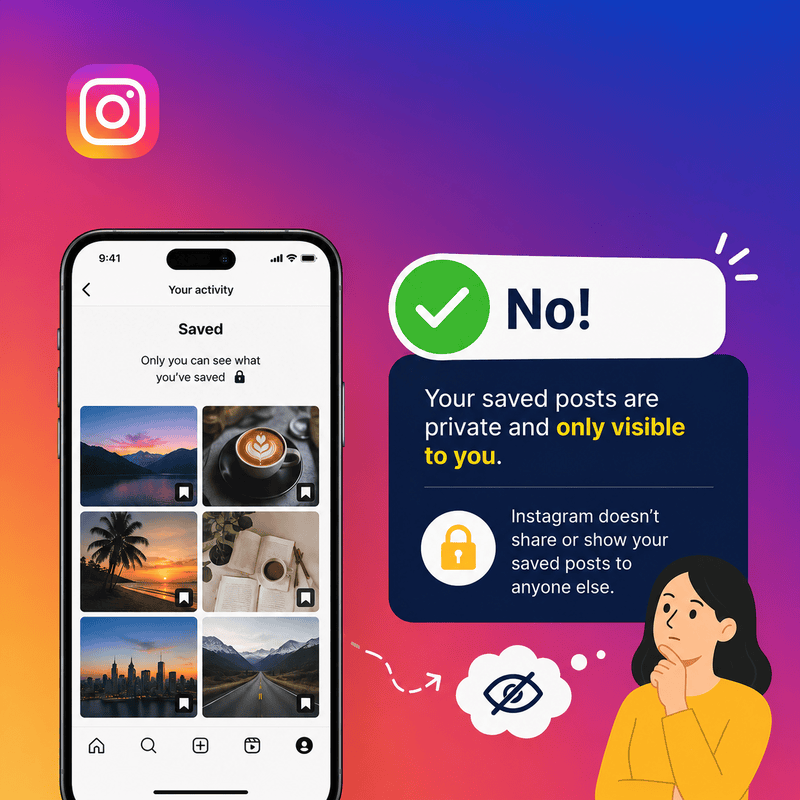
Your saved posts on Instagram are completely private. Nobody can see them.
When you save a post, reel, or video, it goes into your personal saved folder. Only you have access to this folder. Instagram even displays a message confirming this: “Only you can see what you’ve saved”.
Your followers can’t see your saves. The person who posted the content can’t see you saved it. Friends snooping on your profile won’t find your saved content.
So if you’re saving posts from someone’s account to look at later, you’re in the clear. Nobody will know.
Does Instagram Notify When You Save a Post?
No. Instagram does not send notifications when you save posts.
The post owner receives zero alerts. No push notification. No in-app message. Nothing.
This applies to all content types. Posts, reels, videos, stories, and saving any of these happens silently.
Instagram designed the save feature this way on purpose. “Saving can often be a very personal experience,” according to Instagram’s product team.
The product logic behind that is visible in the app itself. Instagram has never built a “saved by” list the way it built a likes list and a Story viewer list. Saving was designed as a private filing action, not a social one, and nothing in Instagram’s published documentation has ever described it as visible to anyone but the person doing it.
One thing to note: screenshots work differently. If you screenshot a photo someone sent in DMs using the direct camera feature, they get notified. But saving content? That’s private.
Can Someone See If You Saved Their Instagram Post?
Here’s where it gets interesting.
Regular users cannot see who saved their posts. Period.
But business and creator accounts have access to insights. They can see the number of saves a post receives. Not who saved it. Just the count.
In other words, if someone with a business account posts content, they might see “47 saves” in their insights. But they can’t click through to see your name or anyone else’s.
Instagram stores your save action in your account data. But this data stays private. There’s no API or user interface that reveals who saved what.
Your collections are also marked as private by default. Even if Instagram adds features to share collections later, your current saves remain hidden unless you manually change settings.
So while business accounts get analytics, your identity stays anonymous.
If you want to check this yourself rather than take anyone’s word for it: open a post on a professional account and tap View Insights, or open the professional dashboard from your profile. Instagram’s insights documentation lists what a professional account gets accounts reached, accounts engaged, saves, shares, profile activity. Every one of those is a count or an aggregate breakdown. None of them is a list of names.
Instagram rebuilt the insights screens during 2026, so the tabs may not match older tutorials you find elsewhere. The layout changed. What is reported did not: there has never been a version of that screen, on mobile or in Meta Business Suite, that shows which accounts saved a post.
Can People See What You Save on Instagram Stories?
No, people cannot see what you save on Instagram Stories. Instagram does not provide a feature that allows users to view who has saved their stories or story-related content. If you save a story to your device or bookmark content connected to a story, that action remains private.
Instagram only shows story viewers to the account owner for a short time. Saving content does not appear in viewer lists, notifications, or insights. Your activity remains hidden whether the account is public or private.
If you’re wondering whether Instagram notifies someone when you save a story, the answer is no. Instagram does not send any alerts when users save Instagram story for personal use.
One detail most pages on this topic miss. Stories vanish for viewers after 24 hours, but Story insights stay available to the person who posted for up to two years. That sounds alarming until you look at what those insights contain: views, accounts reached, interactions such as replies and sticker taps, and profile activity. The viewer list is the only place identity appears, it covers viewing rather than saving, and it does not survive the Story. Saving has no entry on that screen at all.
Saving your own Story to your Archive or camera roll is a separate action again. That is your copy of your own content, and it is not reported to anyone either.
Can People See What You Save on Instagram Live Videos?
Instagram Live videos follow the same privacy rules as regular posts and reels. If you save a live video after it has been shared as a replay or posted to an account, the creator cannot see that you saved it.
The account owner may see viewer information while the live broadcast is active, but they cannot see who later saves the content. Instagram does not provide notifications or analytics that reveal the identities of users who save live videos.
This means you can save a live replay for future reference without worrying that the creator will be notified or able to identify your account.
What Happens When You Unsave a Post on Instagram?
When you unsave a post on Instagram, it is simply removed from your personal Saved folder. The original post remains visible on Instagram unless the creator deletes it.
Unsaving a post does not notify the content creator. They will not receive any alerts, messages, or updates about your action. The post disappears from your saved collections, but it can be saved again at any time.
If the post was stored inside a collection, it will also be removed from that collection automatically. Users can fully control their saved content. This does not harm the original creator or the post’s performance.
There is one visible consequence, and it does not point back at you. On a professional account the saves figure reflects saves that are currently in place, so removing yours can move that number. What it cannot do is attach the change to a person. The metric has never carried identity not before you unsave, not after. A creator watching a count tick down has no username, no notification and no profile visit to connect it to.
Are Saved Posts Still Private After Instagram Updates?
Many users worry that future Instagram updates could make saved posts public. Instagram has always kept saved content private since the feature began.
Currently, all saved posts, reels, videos, and collections are visible only to the account owner. Instagram hasn’t added a way for followers, friends, or creators to see saved content. This is true even after big updates.
Instagram redesigned the Saved area in March 2026, adding content-type tabs so Reels, posts, and audio are easier to browse but the redesign changed only the layout, not who can see it. As of September 2026, every saved item and every collection, collaborative or not, is still visible only to the people you personally choose.
If Instagram changes how saved content works, the company will probably announce it officially. They will also give users new privacy controls. As of now, your saved content remains completely private.
How Instagram’s Save Feature Works
What Are Instagram Saved Posts?
Instagram’s save feature works like a digital bookmark system. Think of it as your personal filing cabinet inside the app.
When you find a post, reel, or video you want to revisit later, you save it. This keeps your content organized without filling up your phone’s storage.
Saves replaced the old habit of screenshotting posts. Instead of cluttering your camera roll, everything stays in Instagram.
The feature launched in 2017 as a way to track posts you want to remember. Business ideas. Recipe inspiration. Travel destinations. All saved in one private space.
Saving Posts, Reels, and Videos
Are Instagram Saved Reels Public?
A common worry among users is whether instagram saved reels will be public after new updates. Rest assured, will my saved reels be public on instagram? The answer is a strict no. Instagram does not show saved reels to others, and who can see my saved reels on instagram is limited to just one person: you.
Saving content takes two seconds:
- Find the post, reel, or video you want to save
- Tap the bookmark icon in the bottom right corner
- A pop-up confirms your save
That’s it. The content goes straight into your saved folder.
For reels specifically, tap the three dots icon first. Then select Save. Same process, just one extra step.
Creating and Using Collections
Collections let you organize saves into folders. Like Pinterest boards, but private.
When you save something, tap “Save to Collection”. You can add it to an existing collection or create a new one.
To create a collection, tap the plus sign and name it. Travel tips. Workout routines. Recipe ideas. Whatever fits your needs.
All saved content also appears in your “All Posts” collection automatically. So even if you forget which folder you used, everything’s there.
Why the “Collaborative Collection” Pop-Up Confuses People
Since 2023, Instagram sometimes shows a second prompt when you tap the bookmark icon, an option to turn your collection into one you share with friends. A lot of people tap through this screen without reading it, then panic that their saves have become visible to followers or to the original poster. This exact worry is one of the most-discussed Instagram questions on Reddit, and it’s worth answering directly.
Here’s what’s actually happening: this option, called a collaborative collection, only becomes visible to other people if you deliberately turn it on and pick who to invite. As Adam Mosseri, Instagram’s head, explained when the feature launched, “you’ll see a new option to create a collaborative collection” it’s opt-in, not automatic. A regular, non-collaborative collection stays exactly as private as it has always been: visible to nobody but you.
According to Instagram’s official guide to collaborative collections, only the people you specifically invite can see or add to a collection you’ve made collaborative with your followers and the post’s original creator still sees nothing, unless you happen to invite them yourself.
If you’re not sure whether a collection you made is collaborative, open your Saved folder and check for small collaborator avatars next to the collection name. No avatars means it’s private, and there is no setting, update, or bug that flips a private collection into a public one without your action.
Where Your Saved Content Lives
Your saves live inside Instagram, not on your device.
To find them, go to your profile. Tap the three horizontal lines in the top right corner. Select “Saved.”
You’ll see all your collections listed. Tap any collection to view what’s inside.
Your saved reels have their own tab at the top of the screen. Audio from reels also gets its own collection.
What Others Can Actually See on Your Profile
Public vs Private Information on Instagram
Instagram reveals different information depending on your account settings.
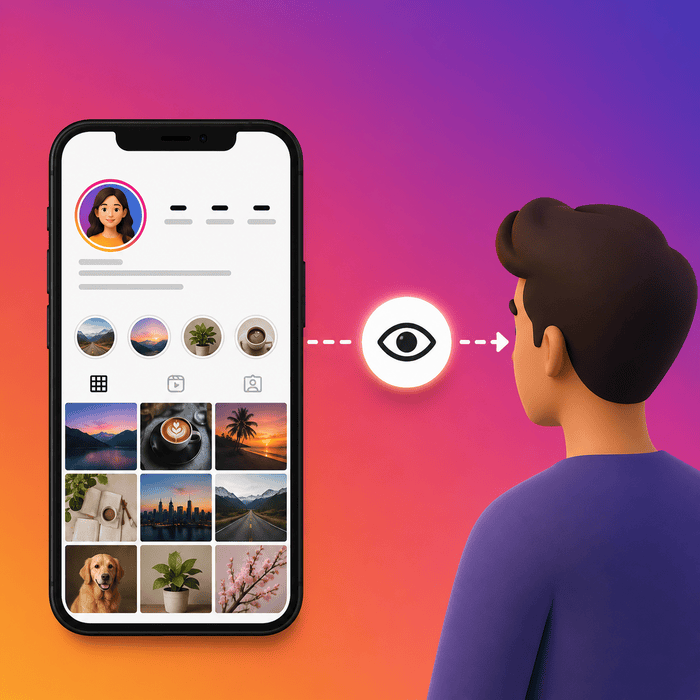
If your account is public, anyone can see your profile and posts by visiting your page on the web. They don’t even need to follow you. They don’t need an Instagram account at all.
Private accounts work differently. Only people you approve as followers can see your profile and posts. But here’s the catch.
Certain information stays visible to everyone, regardless of whether your account is public or private. This information is always public to everyone, on or off Instagram.
What anyone can see includes:
- Your name and username
- Profile picture
- Bio and links
- Follower and following count
- Avatar
- Threads username
- Channels you create
So even with a private account, people can still see your profile picture and bio. They just can’t see your posts.
What Post Owners Can See About Their Content
Post owners can track some of your activity. But not all of it.
If you watch someone’s Story, your username appears on a viewer list. The person who posted it can see exactly who watched it. This visibility lasts for 48 hours.
Similarly, if you join an Instagram Live video, your username appears in the viewer list. The host can see you watching.
Regular posts and Reels work differently. Creators see view counts, likes, and comments. But they can’t see who viewed them without interacting. If you just scroll past, you stay invisible.
Business and creator accounts get access to insights. They see aggregated metrics like reach, impressions, and profile visits. But these are just numbers. They can’t see individual names.
There’s also a feature called shared activity. If you and another account follow each other, you can see tags, likes, and comments you’ve shared. You can also see how long you’ve followed each other.
Activity status shows when you’re online. People you follow or message can see when you were last active. Once you message someone or like their story reply, they can see your online status forever.
Instagram Privacy at a Glance
Saving isn’t the only action people wonder about. Here’s how it compares to everything else you do on Instagram:
| Action | Visible to the public / your followers | Visible to the post owner | Visible only to you |
| Saving a post, Reel, video, or Live replay | No | No | Yes always |
| Liking a post | Yes, if the account is public | Yes | Yes always |
| Commenting | Yes | Yes | Yes always |
| Watching a Story | No | Yes, in the viewer list for 48 hours | Yes always |
| Watching a Live video | No | Yes, while the broadcast is live | Yes always |
| Following / unfollowing | Yes, in follower lists | Yes | Yes always |
| Joining a collaborative collection | No | Only visible to people you invite | Yes always |
What Saves Actually Mean for Creators and Businesses
Everything above looks at saving from the saver’s side. If you run a business or creator account it looks different: saves are a number in your insights that a lot of people will tell you to optimise for. Here is what that number is, what Instagram has actually said about it, and what it cannot tell you.
Where your save count comes from
Saves appear in two places. On a single post, tap View Insights and the figure sits alongside likes, comments and shares. Across the account, the professional dashboard aggregates it with reach and engagement, and Meta Business Suite on desktop lets you export it if you report to anyone.
Personal accounts get none of this. If you have never switched to a professional account, no save data exists for your posts and switching does not backfill the posts you published before.
What Instagram has confirmed about saves
Instagram’s own explainer on how it ranks content lists saving alongside liking, commenting and sharing as part of how popular a post looks to the system, and says those signals count for far more in Explore than in Feed or Stories. Worth knowing before you build a strategy on it: that page has not been substantially rewritten since 2023.
More recently, Instagram head Adam Mosseri has publicly named the three numbers he tells creators to watch average watch time, likes per reach and sends per reach. Saves are not among them. That does not make saves worthless. It does mean Instagram has never claimed saves are the strongest signal, whatever you have read.
The save claims worth ignoring
Three numbers circulate constantly on this topic and none of them survives contact with a source.
● “A save is worth eight to twelve likes.” No methodology, no sample size, no named source. It moves between marketing blogs citing each other.
● “Sends carry three to five times the weight of likes.” Attributed to Mosseri in dozens of posts, traceable to no quote you can actually link to.
● “Saves cause reach.” Nothing published establishes causation. Useful content tends to collect saves and reach together, which is not the same claim.
Measured save rates across large samples of real posts land well under one percent of reach for most formats orders of magnitude below the targets those rules of thumb imply. Plans built on them fail quietly.
Saying this out loud is a ranking advantage rather than a risk. Two of the pages currently outranking this one repeat the “saves beat likes” hierarchy with nothing behind it.
What to do with the number instead
● Read saves as a rate, not a total: saves divided by accounts reached. A post that reached 400 people and earned 30 saves is doing something a post that reached 40,000 and earned 50 is not.
● Compare like with like. Carousels and reference posts out-save entertainment Reels by design. Rank each format against its own history, not against the others.
● Ask what the save was for. Checklists, pricing breakdowns, step sequences, templates, anything someone needs a second time. That answer is a content brief.
● If a post earns saves but no profile visits, the value stopped inside the post. Add the next step a link, a follow-up, a reason to come to the profile.
● Watch the trend over weeks. Counts move when people unsave, and small numbers are noisy enough to mislead you on any single post.
● Do not chase saves at the cost of watch time and sends, which are the two things Instagram’s own head has told creators to track.
What a save count still cannot tell you
It cannot tell you who. Not a username, not whether they follow you, not whether they have ever bought anything. Insights reports counts and aggregate demographics; it has never reported identities for saves, and Instagram has published no plan to change that.
So if a tool, an agency or an extension offers you the list of accounts that saved your post, it is guessing or scraping. Both are worth staying away from, and the next section explains why.
How to Manage Your Instagram Privacy Settings
Making Your Account Private
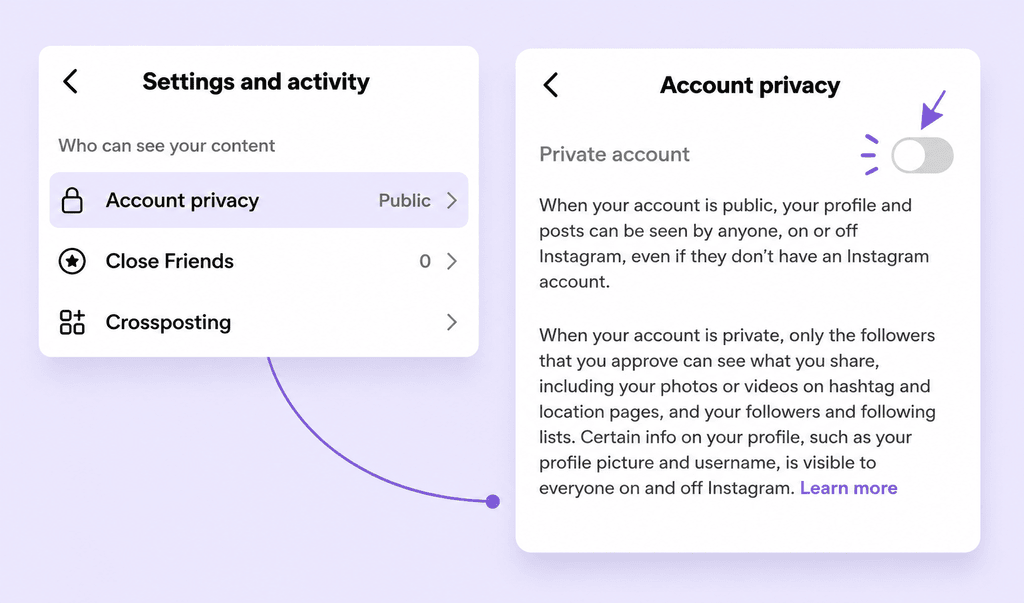
Want more control over who sees your posts? Switch to a private account.
On mobile, go to your profile and tap the three lines. Select Settings, then Account Privacy. Toggle on Private Account.
On desktop, click your profile icon, then the gear icon for Settings. Navigate to Privacy and Security and check the Private Account box.
If you’re under 18, your account is private by default. Teens under 16 need parental permission to switch to public. Teens 16-17 can change without permission unless supervision is set up.
Anyone already following you before you switch will still follow you after. Remove unwanted followers manually.
Controlling Who Sees Your Activity
Instagram doesn’t let you hide likes and comments from appearing in others’ feeds. Your activity stays visible to followers.
You can control who messages you through Settings. Navigate to Messages and Story Replies, then choose who can send requests.
Manage tags by going to Settings, then Tags and Mentions. Set who can tag you in posts.
Managing Your Saved Collections
Collections stay private automatically. You can organize them by topic, but Instagram sorts them by last used, not alphabetically.
To edit a collection, go to your Saved folder and tap the three dots next to the collection name. Select Edit Collection.
Removing Saved Posts and Videos
Instagram doesn’t offer an “unsave all” button.
To remove individual saves on mobile, open a post and tap the bookmark icon. On Chrome, go to your Saved folder and click the bookmark next to each post.
For bulk deletion, delete entire collections. Go to Saved, select a collection, tap the three dots, choose Edit Collection, then Delete Collection.
Third-party Chrome extensions like “Unsaver for Instagram” can remove all saves at once. But these tools carry risks. Remove the extension after use.
Worth being specific here, because this is the only action in this article that can actually cost you something. A bulk-unsave extension works by driving your logged-in session, which means it holds access to your account for as long as it is installed. Three things go wrong: rapid automated activity can trigger a temporary action block on your account; extensions get sold, and the new owner pushes an update you never agreed to; and anything that asks you to type your Instagram username and password into its own window, rather than working inside a tab you are already logged into, should be closed immediately.
That kind of overreaching a tool quietly working in the background with more access than it needs is exactly the pattern behind spyware. It’s worth knowing what spyware is and how to protect yourself, not just for this one extension but for anything you install on your phone.
If you do use one, install it for the session, remove it the moment you are finished, then change your password and review the connected apps list in your settings for anything you do not recognise.
Best Practices for Instagram Privacy
Make your account private first. Review your followers regularly and remove accounts you don’t recognize.
Limit who can tag you and send messages. Control story sharing through Settings under Sharing and Reuse.
Check your saved content periodically. Delete collections you no longer need to keep your account organized.
Conclusion
Right now, you know the truth about Instagram privacy and saved posts. Your saves are completely private. Nobody can see them.
So go ahead and save that recipe, travel inspiration, or workout routine without worry. Organize your collections however you like. They’re yours alone.
In fact, the save feature exists specifically for your personal use. Use it freely. Just remember to review your privacy settings regularly and keep your account secure.
FAQs
Q1. Can other people see what I save on Instagram?
No, your saved posts on Instagram are completely private. Only you can see what you’ve saved. Your followers, friends, and even the person who posted the content cannot view your saved items or collections.
Q2. Does Instagram send a notification when I save someone’s post?
No, Instagram does not send any notifications when you save a post, reel, or video. The content creator receives no alerts or messages when you bookmark their content. Your save action is completely silent and private.
Q3. Can business accounts see who saved their posts?
Business and creator accounts can see the total saves for their posts. This information is found in insights. But they cannot see the names of users who saved their content. Your identity remains anonymous even when saving posts from business accounts.
Q4. Are my Instagram collections visible to my followers?
No, all your collections are marked as private by default. Nobody can see your collections or the posts you’ve organized within them. This privacy setting applies to all saved content unless you manually choose to change it in the future.
Q5. What information on my Instagram profile is always public?
Even with a private account, some details are public. Your name, username, profile picture, and bio can be seen. Links, follower count, following count, and channels you create are also visible. Your posts, saved content, and collections remain private based on your account settings.
Q6. Can you see who saved your instagram post or reel?
No, you cannot. While you might wonder how to see who saved my reel on Instagram, Instagram does not provide this feature. With a creator or business account, you can see the total saves. However, the identities of those who saved remain completely anonymous.
Q7. Who can see saved posts on instagram if my account is public?
Even if your account is public, the privacy of your saved posts stays the same; they remain entirely private. Your public status only applies to the content you post, not the content you bookmark or save.
Q8. Can Someone See If You Save Their Reel?
No, Instagram does not notify the creator when you save their Reel. Saving is completely private.
Q9. Does Instagram Notify When You Save a Reel?
No. Instagram does not send any notification when you save a Reel. Only the number of saves may be used internally for ranking, but no user details are shown.
Q10. Can You See Who Saved Your Instagram Story?
No. You cannot see who specifically saved your Story. If you have a professional account, you can only see the total number of saves, not the usernames.
Q11. Can Followers See My Saved Reels?
No. Your saved Reels are private. No followers or other users can see what you have saved on your account.
Q12. Does the “collaborative collection” pop-up mean my saves are public?
No. The collaborative collection prompt only shares a collection with people you specifically invite. If you don’t turn that option on, your collection and everything you’ve saved stays exactly as private as before.
Q13. Do saves help my post reach more people?
Instagram’s ranking explainer lists saving alongside liking, commenting and sharing as a popularity signal, and says those signals matter most in Explore. Beyond that, Instagram has never published a weighting for saves. The figures you will see quoted a save being worth eight or ten likes have no published source. Saves are a fair read on whether people found something useful. They are not a lever with a known exchange rate.
Q14. Does unsaving reduce the creator’s save count?
The figure in insights reflects saves currently in place, so removing yours can move it. It still does not identify you. That metric has never included account names, before or after an unsave.
Q15. Does Instagram itself know what I save?
Yes. Saving is an action recorded on your account, and Instagram uses signals like it to decide what to recommend to you which is why Explore drifts towards whatever you have been saving. The distinction matters: your saves are private from other people, not invisible to the platform. No follower, no creator and no advertiser receives them as a named list.

Comments are closed