
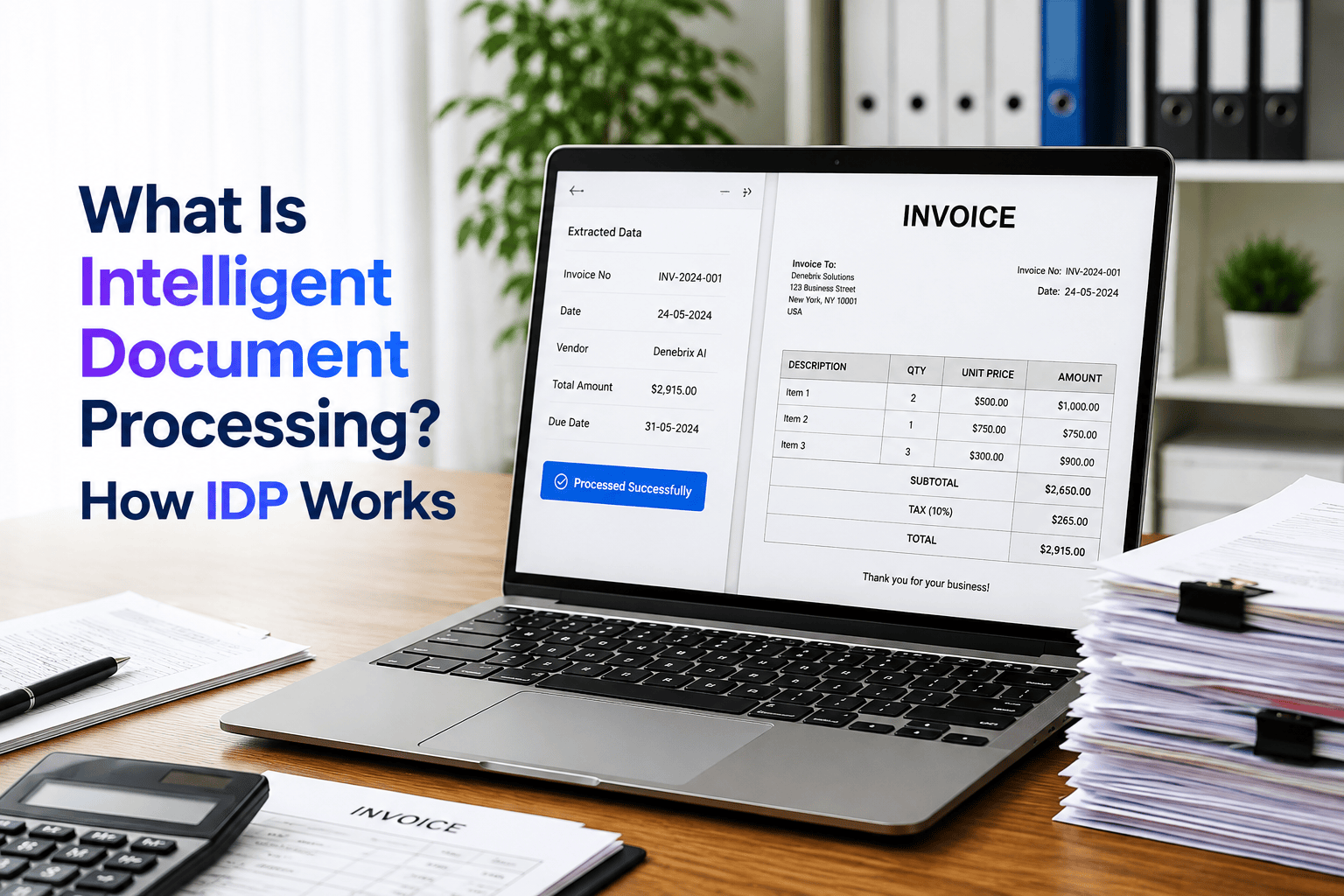
Typing numbers from invoices into a computer is slow, boring, and after an hour or two, people start missing digits. That is often how bills get sent to the wrong vendor or paid weeks late.
That’s the exact problem Intelligent Document Processing (IDP) was built to solve. Here’s how it actually works.
Say a supplier emails a new bill. Instead of opening files and copying text manually, modern intelligent document processing idp software grabs the vendor name, date, and total due right away. It checks those numbers against your records, drops clean data straight into your accounting software, and flags the file only if a price doesn’t match or a page is too blurry to read.
Below, we cover how IDP extracts data from messy files, why older OCR tools fail, and how to automate your document workflow.
What Is Intelligent Document Processing?
Intelligent Document Processing (IDP) is software that reads business files, pulls out the exact facts you need, and drops that information straight into your internal databases. Rather than hiring people to sit around retyping records from sheets of paper, IDP uses artificial intelligence to do the heavy lifting automatically.
According to Microsoft Power Automate’s breakdown of IDP, the technology scans, reads, extracts, categorizes, and organizes information into accessible formats from large piles of data. It differs from web scraping, which collects data from websites rather than from business documents.
A modern intelligent document processing platform handles three main tiers of document data:
| Data Type | Examples |
| Structured data | Standard forms, database records |
| Semi-structured data | Invoices, purchase orders |
| Unstructured data | Contracts, emails, reports |
As companies handle more unstructured paperwork than ever, the intelligent document processing market has expanded rapidly across nearly every major industry.
How Does Intelligent Document Processing Work?

Setting up an IDP system is like building an automated pipeline for your paperwork. Major tech platforms like Microsoft break the process down into several clear stages, from the moment a file lands in your system to the final report.
Document Input and Capture
Paperwork comes from all directions. Files drop into shared folders, arrive as email attachments, get uploaded through mobile apps, or come straight from physical scanners. The tool accepts PDFs, Word docs, spreadsheets, and image files without forcing you to sort them first. If you need to share a Word file without shifting its layout, save a copy as PDF with a PDF from documents converter first.
Document Preprocessing
Before the software tries to read anything, it cleans up the file:
- Rotates sideways or upside-down pages so text is right-side up
- Removes dark shadows and background noise from phone photos
- Sharpens blurry or faded text to make it easy to scan
Document Classification
Once the file is clean, the tool identifies what kind of paperwork it is. It sorts bills from legal contracts, insurance claims, and tax forms, then automatically sends each file down the right path.
OCR and Document Recognition
This is where the software reads the actual words. It uses optical character recognition to turn the flat image into readable computer text, mapping out headings, paragraphs, and lists across the page.
Data Extraction
Next, the system hunts down the exact details you need:
- Key-value extraction pulls specific pairs like “Invoice Date: Oct 12” or “Due Amount: $450”
- Table extraction grabs rows and columns of line items, item counts, and prices
- It captures customer names, addresses, and ID numbers from the text
Data Validation
The software does not just trust what it reads. It checks the numbers against your company rules and existing databases. For instance, it adds up all the line items to make sure they equal the final total, and flags the file for a human worker if anything looks off.
Data Structuring and Organization
Raw text from a page is messy. In this step, the tool cleans up the extracted fields and puts them in a standard format, like changing every date to MM/DD/YYYY. It organizes the data into neat records that other apps can understand.
Workflow Automation
After the data is clean and verified, the system passes it along to your main business software:
- Pushes numbers into your ERP, CRM, HR, or accounting tools
- Triggers automatic payment runs or approvals
- Uses robotic process automation to handle workflow automation without requiring manual data entry.
Continuous Learning
When a human worker fixes a mistake on a flagged file, the software remembers the correction. It uses machine learning to get smarter over time, so it makes fewer mistakes the next time a similar layout shows up.
Reporting and Analytics
The platform tracks how well the whole system is running. Managers can check dashboards to see how many files were processed, how fast jobs were completed, the overall accuracy rate, and where files get stuck in the pipeline.
What Are the Benefits of Intelligent Document Processing?

Moving to IDP eliminates slow paperwork and lets software do the heavy lifting in seconds.
Scalability
When busy seasons hit, documents pile up fast. A small office team quickly falls behind when hundreds of files arrive all at once.
IDP takes care of sudden spikes without breaking a sweat. It reads ten pages or ten thousand pages at the exact same speed, so work never gets stuck waiting in line.
Cost Reduction
Paying staff to sit at a desk and retype names and numbers burns through payroll hours.
Automating these repetitive steps cuts down the cost of handling every bill, form, and receipt.
Companies also save cash by avoiding late fees, fixing fewer billing mistakes, and skipping the hunt for misplaced files.
Improved Accuracy
When someone types numbers for six hours straight, mistakes happen. People swap two digits, miss a decimal point, or misspell a company name.
- Grabs text cleanly off the page
- Checks extracted totals against existing company records
- Flags weird numbers right away before payments go out
Faster Processing
Paperwork moves slowly when people have to open every email and type out the info. A simple invoice often sits for days waiting for someone to review it. IDP cuts that wait down to seconds by pulling the numbers and sending them where they need to go right away.
Better Data Insights
Facts trapped inside paper scans or image files are basically invisible. Nobody can search for them, and they just sit around collecting digital dust.
IDP pulls that info out and turns it into clean data. You can search your entire database with a quick keyword, spot spending trends, and make smarter choices for the business.
Limitations and Challenges of Intelligent Document Processing

IDP cuts down on boring office tasks, but it is not magic. Things can and do go wrong. Even top document software brands like ABBYY note in their guides that you still need real people to check the work and catch errors.
Document Quality
If a page is clear, the tool has no problem. But when someone uploads a blurry picture from a phone, a faded fax, or a crooked scan taken in bad light, the software gets stuck.
Dark shadows and smudged print make the computer guess on letters or miss whole sentences.
Complex Documents
Certain types of files almost always cause trouble:
- Spreadsheets and tables where lines are missing
- Forms filled in with messy handwriting or cursive
- Little checkboxes that are only half-checked
- Signatures written right over important numbers
Changing Document Formats
Every business builds bills and forms its own way.
The minute a supplier sends an invoice with a new look, the tool gets confused. It might not know where the total price went simply because the number moved to the top of the page rather than the bottom.
Extraction Accuracy
The tool does not get everything right on the first try.
It might skip a line item, grab the wrong date, or swap the tax amount with the shipping cost. Because of these slip-ups, you cannot just trust the data blindly without checking it.
Integration
Getting the new software to work with your current tools is a lot of work.
You have to link the IDP tool to your ERP, CRM, accounting app, and HR systems so numbers land in the right spots. If you use older software, making those links takes time and IT support.
Human Review
You still need real workers.
When the computer is not sure about a number, or when a file has weird terms, a person has to step in. People must review low-confidence scores, fix flagged errors, and double-check high-value transactions.
Security and Compliance
Business files contain private details like bank numbers, social security numbers, and home addresses.
Companies must make sure the tool protects that data with strong passwords and encryption. You must follow privacy laws so customer info doesn’t leak online.
Top Intelligent Document Processing Use Cases in Business

Companies in every industry deal with huge piles of everyday paperwork. IDP takes those tedious files and finishes the work automatically so teams can get more done.
Finance and Accounts Payable
Accounting teams spend hours matching bills to receipts. IDP reads supplier invoices, grabs line items and due dates, checks the numbers against your original purchase orders, and drops the details straight into your payment system. It also reads employee gas receipts and meal expenses to speed up payback checks.
Insurance
Filing a claim after an accident takes a ton of paperwork, which is why intelligent document processing claims processing has become essential for modern insurers.
- Reads repair shop bills, doctor notes, and police reports in seconds
- Grabs policy numbers, damage costs, and accident dates
- Flags weird claims and duplicate bills so fraud teams can check them
Human Resources
Hiring new workers creates many forms. IDP scans incoming resumes to pull out past jobs, skills, and phone numbers directly into hiring tools. It also sorts new-hire tax forms, background checks, and worker feedback surveys without anyone having to file them by hand.
Government Agencies
City offices get flooded with forms every single morning. IDP cuts long lines by reading building permit forms, license requests, and DMV driver records. It turns stacks of paper into digital files so staff can help people much faster.
Law Firms
Legal teams often have to dig through hundreds of pages of small print just to find simple facts. IDP reads case files, property deeds, and contracts to pull out client names, renewal dates, signatures, and important clauses in no time.
Healthcare
Doctors and nurses need quick access to health records to treat patients without delay. IDP organizes check-in forms, patient charts, lab results, and billing sheets. It also speeds up health insurance claims so treatments get approved without endless delays.
Banking and Financial Services
Getting a loan or opening a new checking account requires handing over pay stubs, tax returns, and bank statements. IDP grabs the numbers off those pages, checks a person’s income, and helps the bank make loan and mortgage decisions in hours rather than weeks.
Supply Chain and Logistics
Moving boxes and shipping products creates a never-ending paper trail:
- Grabs cargo details from bills of lading and purchase orders
- Reads signed proof-of-delivery receipts from delivery drivers
- Updates warehouse stock counts the second shipments hit the loading dock
What Technologies Are Used in Intelligent Document Processing?
No single tool handles document processing alone. IDP combines distinct software components that work step by step so computers can read, interpret, and move paperwork into workplace databases. Cloud architectures from Microsoft Learn and IBM Cloud organize these systems around the core building blocks below.
Optical Character Recognition (OCR)
OCR scans physical pages, photos, and PDFs to spot the shapes of letters and numbers. It turns those image pixels into computer text you can copy and edit.
Why OCR alone is not IDP: OCR only identifies raw characters. It has no idea what the words actually mean. For instance, if an invoice says “Total: $50”, OCR sees five individual characters in a row. It doesn’t know that $50 is a balance you owe a vendor. IDP uses OCR as an initial extraction step, then applies additional software layers to interpret the figures.
Natural Language Processing (NLP)
NLP gives the computer the ability to understand sentences the way people do.
Instead of searching only for exact keyword matches, NLP analyzes the context around each word. It reads through unstructured files like emails, service agreements, and legal contracts to find the main topic, party names, start dates, and specific terms.
Machine Learning and Deep Learning
Machine learning models let the platform learn from sample documents rather than relying on rigid rules.
When trained on old invoices, receipts, and claim forms, deep-learning models learn layout patterns. The software learns where key fields usually sit, which lets it pull numbers accurately even when a vendor submits a completely new design.
Computer Vision
Computer vision looks at the overall visual structure and spacing of a document:
- Finds table boundaries and splits rows from columns
- Checks signature lines to confirm a real signature is present
- Reads barcodes, stamps, company logos, and marked checkboxes
Robotic Process Automation (RPA)
Once the system reads and verifies the data, RPA handles the repetitive computer tasks.
RPA works like a software bot that moves data across applications. It opens internal accounting software, pastes the extracted values into matching database fields, and sends out follow-up notifications without requiring manual data entry.
Intelligent Document Processing vs. Traditional Document Processing, OCR, and RPA
| Feature | Traditional Document Processing | OCR | RPA | Intelligent Document Processing |
| Main purpose | Manual or rule-based document handling | Convert images into text | Automate repetitive actions | Understand, extract, validate, and process document data |
| Uses AI | No/limited | Usually no | No/limited | Yes |
| Reads text | Manual/rules | Yes | No | Yes |
| Understands context | No | Limited | No | Yes |
| Document classification | Limited | Limited | No | Yes |
| Data extraction | Manual/rule-based | Basic | No | AI-powered |
| Handles unstructured data | Difficult | Limited | Difficult | Yes |
| Workflow automation | Limited | No | Yes | Yes |
| Human involvement | High | Medium | Low | Exception-based |
| Best suited for | Predictable documents | Scanned text | Repetitive system tasks | Complex document workflows |
How to Choose an Intelligent Document Processing Solution

Picking an IDP tool shouldn’t be a shot in the dark. You need software that actually handles your day-to-day paperwork without creating a whole new set of headaches for your team. As Microsoft points out in its automation guides, things like deployment speed, ongoing maintenance, tech support, and basic extraction accuracy make all the difference.
Identify your document processing needs
Start by looking at the files landing on your desk each week.
- Are you dealing with 200 vendor invoices or 5,000 messy medical charts?
- Do documents come in through clean email attachments, or are people handing you paper receipts?
- How many different layouts does your staff touch every single day?
Identify the workflows you want to automate
Don’t try to fix every department at once. Pick the single biggest headache first. If accounts payable is constantly late on vendor payments because people are manually typing numbers from invoices, start right there. Once that runs smoothly, you can move on to things like employee onboarding or customer claims.
Check supported document types
Make sure the platform reads the specific file types your business actually handles:
- Standard PDFs and Word files
- Messy phone photos (JPG, PNG)
- Low-res faxes and scanned TIFFs
- Multi-tab Excel sheets
Test the software with real documents
Sales demos always look great because vendors use perfect, crystal-clear sample files. Don’t fall for that. Hand their team thirty of your worst real-world documents wrinkled receipts, crooked scans, dark phone photos and make them run the files right in front of you. If it breaks during the sales pitch, it will fail in your office.
Evaluate extraction accuracy
Forget whatever percentage the vendor claims on their website.
Watch what happens to specific dates, totals, and invoice IDs during testing. If the software misses fields on every other page, your staff will spend all their time cleaning up errors, which ruins the whole point of buying software in the first place.
Check OCR and table extraction
Reading plain paragraphs is easy for most tools. Tables are where cheap software falls apart.
Throw complex spreadsheets, borderless tables, and multi-page order lists at the tool. See whether it keeps columns straight or jumbles item prices into a mess.
Check integrations and APIs
The tool is useless if it lives on an island. You need it to drop data directly into the programs your company already uses every morning:
- ERP systems (SAP, NetSuite)
- CRMs like Salesforce
- Daily accounting apps (QuickBooks, Xero)
- Custom internal databases via REST APIs
Consider implementation time
Ask how many weeks or months it takes to go live. Some modern cloud platforms get working in under two weeks. Older enterprise setups can drag on for six months and pull your IT staff away from other critical projects.
Consider maintenance requirements
Vendors change their invoice layouts all the time.
Find out who updates the system when that happens. If your regular office workers can adjust a field with two clicks, great. If you have to pay a programmer every time a supplier moves their logo, walk away.
Review vendor support
When the system hiccups during an end-of-month billing run, an automated ticket response won’t help you. Ask if you get access to direct phone support, real account managers, and proper onboarding training before you sign any contract.
Check scalability
Your document volume will jump during busy seasons. The platform should handle an unexpected flood of 10,000 extra pages on a Monday without freezing up, crashing, or slowing down your daily work. These spikes are part of a wider challenge: how enterprises manage the data explosion behind modern AI.
Consider security and compliance
You are feeding private business records into new software.
- Look for end-to-end encryption for files at rest and in transit
- Make sure you can restrict access so only certain employees view payroll or health records
- Check for compliance with privacy laws relevant to your industry
Evaluate human-in-the-loop options
No machine gets everything right 100% of the time. The software needs an easy review screen where a team member can quickly check flagged fields, fix a typo, and approve the document in seconds.
Compare total cost and expected ROI
Look way past the sticker price. Add up setup fees, extra user seat licenses, volume overages, and IT upkeep costs. Then compare that number against the labor hours and late fees you’ll actually save to make sure the purchase makes financial sense.
How AWS Intelligent Document Processing Works
AWS uses a set of cloud services that work together to replace manual data entry. Rather than relying on rigid layout templates that break easily, AWS IDP architecture connects machine learning and natural language tools to pull facts off pages and move them straight into workplace software.
Amazon Textract
Textract is the primary data extraction tool in the AWS setup. It does much more than basic OCR by recognizing the layout and geometry of the document as it reads:
- Text Extraction: Reads printed characters and handwriting from scanned files, PDFs, TIFFs, and mobile snapshots.
- Forms and Key-Value Pairs: Automatically spots matching fields, like tying an “Invoice Total” label to its price without custom coordinate rules.
- Table Extraction: Reads multi-page tables while keeping rows, column headers, and item lines separated correctly.
Amazon Comprehend
After Textract grabs the raw words, Amazon Comprehend figures out what those words mean in context.
Comprehend uses natural language processing (NLP) to read paragraphs inside emails, support tickets, and legal agreements. It identifies key entities like company names, locations, and dates. It also sorts documents into categories and spots sensitive data like tax numbers or credit card numbers so you can redact them automatically before saving.
AWS Document Processing Workflow
AWS links these services into a single pipeline:
- An employee uploads a file to an Amazon S3 folder, which automatically kicks off the workflow.
- AWS Lambda and Step Functions manage the handoff, sending the file to Textract for extraction and Comprehend for analysis.
- If a document has low confidence scores, the system routes it to a human worker through Amazon Augmented AI (Amazon A2I).
- Verified data flows directly into your ERP, CRM, or database, eliminating manual data entry.
Conclusion
Modern intelligent document processing tools take the heavy load off your daily office routine. When paperwork piles up on desks or sits inside email inboxes, work slows down fast, typos slip in, and bills get paid late.
Fixing that broken workflow helps both your wallet and your team. Files move where they need to go in seconds instead of days. Your records stay clean and updated across every program you use, and you can take on way more work without having to hire extra staff just to sort papers.
For any business buried under stacks of invoices, claims, or forms, the results are easy to see. Operating costs drop, costly typing mistakes vanish, and your workers can spend their time on real projects that help the company grow.
FAQs
What is intelligent document processing?
It is software that reads business files, pulls out the key info, and drops it right into your systems so nobody has to type it by hand.
What is the difference between OCR and intelligent document processing?
OCR only turns images into raw letters on a screen, while IDP actually understands what the words mean and checks them for mistakes.
What is the best intelligent document processing software?
It depends on your setup, but ABBYY leads for tough layouts, UiPath for workflow bots, and Microsoft or AWS for cloud tools.
What is an intelligent document processing solution?
It is an end-to-end setup that grabs incoming paperwork, extracts the details, fixes errors, and pushes clean data into your work apps.
How does document intelligence work?
The tool cleans up the file scan, reads the text, figures out where the important numbers and tables sit, and verifies them against your database.
Who are the top IDP vendors?
Top names in the field include ABBYY, UiPath, Hyperscience, Tungsten Automation, along with tech giants Microsoft, AWS, and Google Cloud.

Comments are closed